
What Is IPTV and How Does it Work?
 Charles Hawkings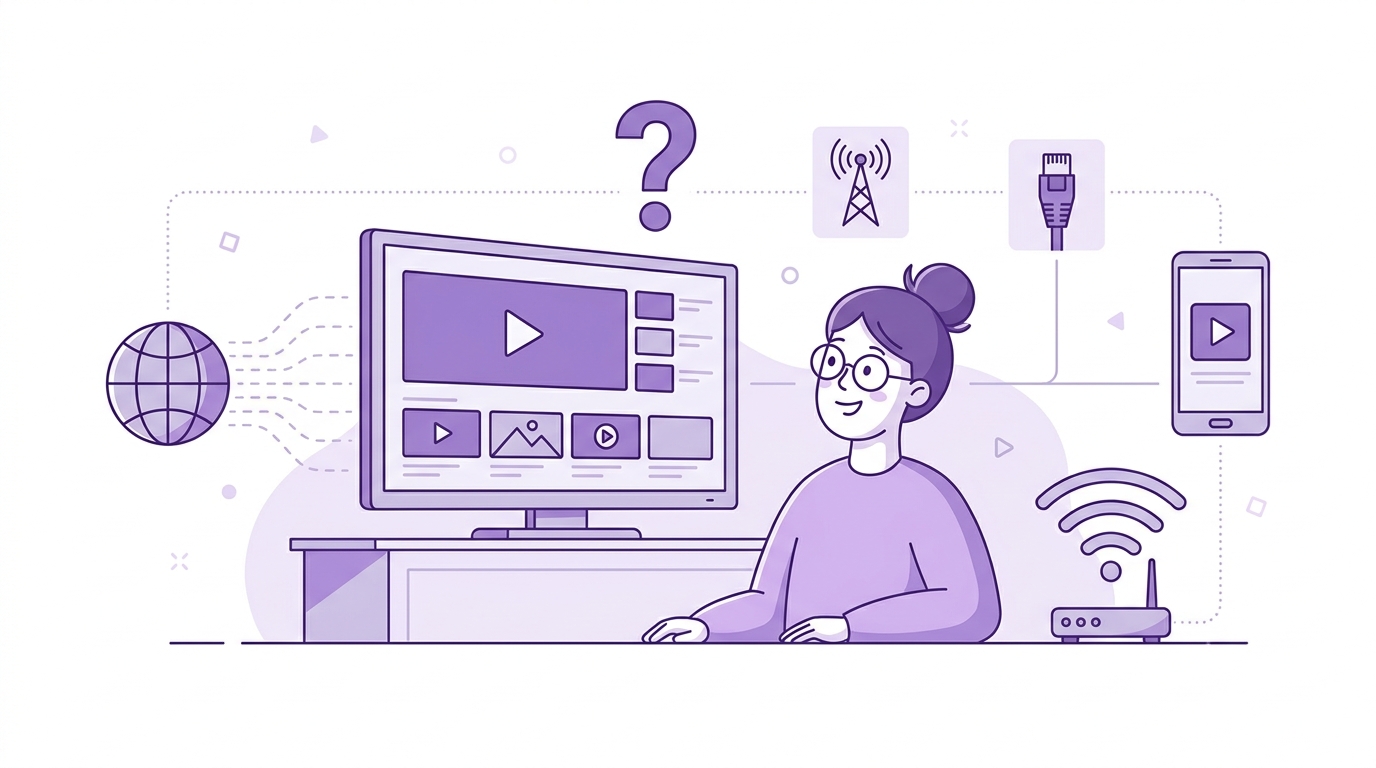
IPTV (Internet Protocol Television) is a way of delivering TV content over an internet connection instead of through cable, satellite, or broadcast antennas.
This guide breaks down everything you need to know: how IPTV works, the different types of service, its pros and cons, and how to choose and set up a provider.
What Is IPTV?
IPTV stands for Internet Protocol Television. It is a technology that delivers television content over IP networks rather than through traditional cable infrastructure, satellite channels, or terrestrial broadcast frequencies.
How Does IPTV Works?
Think of IPTV as a pipeline. On one end, a an IPTV provider captures a live feed or a library of VOD content.
On the other, a viewer's TV displays it in real time. What happens in between these two steps involves encoding, delivery and decoding.
What are the Types of IPTV Services?
Understanding the four primary IPTV types helps you match the right service to your actual viewing habits.
Live TV Streaming
Live IPTV is real-time delivery of linear channels over an IP network, the closest digital equivalent to flipping through traditional broadcast TV.
The practical difference from cable is noticeable immediately. Live IPTV lets you pause, rewind, and restart a live broadcast without a physical DVR.
You can watch on your phone during a commute and switch to your television when you get home.
Services like YouTube TV, Hulu + Live TV, and Sling TV operate exactly this model.
If live sport or news is your primary reason for keeping any TV subscription, live IPTV is the format your service needs to do well.
Video on Demand (VOD)
VOD delivers content from a server library through unicast streams.
Movies, TV series, and documentaries sit in an operator's catalogue and are available whenever you choose to watch them.
Unlike live TV, there is no scheduled broadcast. You start it, pause it, and return to it on your own schedule.
Time-Shifted and Catch-Up TV
Catch-up TV solves one of the oldest frustrations with linear television: missing a programme because you were not in front of the screen when it aired.
With time-shifted IPTV, content that has already broadcast remains accessible on demand for a defined window, typically 7 to 30 days.
The key difference from a DVR is that no recording is required on your end. The content is stored server-side, and you simply request it.
Near Video on Demand (NVOD)
NVOD sits between live broadcast and true on-demand.
A provider takes a single piece of content, typically a pay-per-view event like a boxing championship or a major film premiere, and broadcasts it on a rotating schedule with staggered start times across multiple channels.
The viewer picks whichever scheduled showing is most convenient, much like choosing a cinema showtime.
The infrastructure reason for NVOD is practical.
True unicast VOD at scale, where every viewer gets an individual stream, demands significant server capacity during peak demand windows.
For a PPV event where millions of people want to watch within the same two-hour window, NVOD lets operators serve mass audiences without the infrastructure cost of fully personalised unicast delivery.
Pros of IPTV
IPTV's advantages are not abstract. They translate into daily convenience, cost savings, and flexibility that cable subscriptions have never offered.
Device Flexibility
With IPTV, the screen is almost irrelevant. Your subscription works on a Smart TV at home, a tablet during a flight, a phone during a commute, or a laptop in a hotel room.
On-Demand Control Over Live TV
Pause, rewind, and fast-forward on a live broadcast. It sounds trivial until the phone rings during the final ten minutes of a game.
IPTV handles this at the network level, storing a buffer of the live stream server-side so you can scrub backward without any recording hardware at home.
Channel Customisation
Cable bundles famously pack 200 channels together so that providers can justify a $150 monthly bill.
With IPTV, many services let you subscribe by genre or channel package, paying only for what you actually watch.
A sports fan can take a sports-only package. A family with children can add a kids' tier. No one has to pay for the shopping channel they have never turned on.
Cost Savings
The numbers are straightforward. A cable bundle typically runs $100 to $200 per month, including equipment rental fees and broadcast TV surcharges.
A licensed IPTV subscription typically costs $10 to $50 per month. Even at the higher end, a household can realistically save $600 to $1,500 annually by switching, without losing live TV, sports, or VOD access.
Multi-Device Streaming
Most IPTV services allow simultaneous streaming on two to five devices under a single subscription.
A household where one person is watching a sports channel, another is in the middle of a film, and a teenager is streaming a series can all operate from one plan without additional cost.
Cable boxes, by contrast, require one physical box per television.
International and Multi-Language Content
IPTV has no geographic infrastructure to lay. A provider serving international content simply needs servers in a content delivery network.
For expats, diaspora communities, and multilingual households, this matters enormously.
Arabic news channels, South Asian film catalogues, and Latin American sports packages are available on legitimate IPTV services in markets where cable would never carry them.
Cons
Choosing IPTV without understanding its limitations leads to frustration.
None of the drawbacks below are deal-breakers for most users, but knowing them upfront means you can set up your service correctly and choose a provider that addresses them.
Internet Dependency
IPTV lives or dies on your internet connection. Cable TV is completely independent of your broadband service.
If your ISP has an outage or your router drops, cable still works. IPTV does not. On a slow or congested connection, stream quality degrades immediately.
A 4K stream requires 25 to 50 Mbps. If your household is sharing a 50 Mbps connection across multiple devices during peak evening hours, the maths does not work.
Buffering on Unmanaged Services
Even with a strong internet connection, the quality of the IPTV provider's infrastructure matters.
A cheap, unverified service often runs on overloaded servers that cannot handle demand during popular broadcasts.
Buffering during a Champions League final is not an internet problem. It is a provider problem. This is one of the clearest signals that low-priced grey-market services cut corners.
Geographic Restrictions
Many legitimate IPTV services are country-locked by content licensing agreements. BBC iPlayer requires a UK IP address.
Hulu + Live TV operates only in the United States. Even when you are a paying subscriber, travelling internationally can lock you out of the service entirely.
A VPN can resolve this in some cases, though some services actively detect and block VPN traffic.
Legal Ambiguity Around Certain Providers
The IPTV market includes a large number of unverified providers operating without content rights.
They look like legitimate services but are not.
For the consumer, the risks are real: malware bundled into sideloaded apps, service shutdowns with no refund, ISP warnings, and in some jurisdictions, exposure to copyright enforcement action.
The technology is legal. The provider might not be.
Setup Complexity for Third-Party Services
Signing up for YouTube TV and hitting play is straightforward.
Setting up a third-party IPTV service using an M3U playlist, a compatible player like TiviMate, and a manually configured EPG requires more technical steps.
For non-technical users, this gap creates a meaningful barrier.
ISP-bundled IPTV services, like Verizon FiOS, sidestep this entirely with plug-and-play hardware, but third-party services require a willingness to follow a setup guide.
Compatible Devices with IPTV
IPTV runs on almost any screen connected to the internet, which is one of its core advantages over cable. The choice of device affects picture quality, codec support, and how easy the interface is to navigate.
Smart TVs
Most modern Smart TVs from Samsung, LG, Sony, and others support IPTV apps either natively or through their app stores. Some licensed services like YouTube TV and Hulu + Live TV have dedicated Smart TV apps.
For third-party providers, apps like IPTV Smarters or TiviMate are available on Android TV-based smart televisions. One caveat: older Smart TVs may not support H.265 decoding in hardware, which can cause performance issues with providers using newer codecs.
Streaming Sticks
The Amazon Firestick is the most popular pairing for third-party IPTV services in many markets, particularly when combined with TiviMate as the player app.
Roku sticks support certain licensed IPTV services but are more restrictive about sideloading third-party apps. Chromecast with Google TV runs Android TV and handles most IPTV apps without issue.
Android TV Boxes and MAG Set-Top Boxes
Dedicated Android TV boxes offer more processing power than streaming sticks, which matters for 4K H.265 streams with hardware-accelerated decoding.
MAG set-top boxes, manufactured by Infomir, are specifically designed for IPTV and are often supplied by ISP-operator IPTV services.
They run a stripped-down Linux environment optimised for channel navigation and multicast IPTV delivery.
Smartphones and Tablets
iOS and Android both support IPTV through dedicated apps. IPTV Smarters Pro, GSE Smart IPTV, and provider-native apps are available on both platforms.
Mobile viewing works well for catch-up and VOD content. For live sport, a stable Wi-Fi connection is advisable, as mobile data connections can introduce enough latency variation to cause rebuffering on fast-moving content.
PCs and Macs
VLC Media Player handles M3U playlists on both Windows and macOS, making it a functional if basic option for PC-based IPTV viewing.
Provider-native services like YouTube TV and Sling TV work directly through the browser. Desktop viewing is practical for casual use but less comfortable than a television for extended live TV sessions.
Gaming Consoles
The PlayStation 5 and Xbox Series X/S both support certain IPTV apps through their respective stores.
Coverage is more limited than on Android TV or Smart TV platforms, and not all providers have dedicated console apps.
Where apps are available, the experience is fully functional. Where they are not, screen mirroring from a phone or tablet is a workable alternative.
IPTV Apps and Players
The IPTV app is the software layer between your subscription and your screen. *
It is where the channel list lives, where you navigate the EPG, and where you launch catch-up or VOD content.
The most popular apps include:
TiviMate
TiviMate is widely regarded as the best third-party IPTV player for Android TV and Fire TV Stick.
It offers a clean, television-optimised interface, excellent EPG integration, multi-panel channel browsing, and hardware-accelerated 4K playback. The free version is functional.
The premium tier unlocks multiple playlists, a recordings feature, and panel customisation. For households running a third-party IPTV subscription on a Firestick, TiviMate is the most common starting point.
IPTV Smarters Pro
IPTV Smarters Pro is available across Android, iOS, Android TV, and Amazon Fire TV.
It accepts both M3U playlists and Xtream Codes API credentials and displays a VOD section, catch-up panel, and live TV list within a single interface.
It is less polished than TiviMate on large-screen devices but more versatile across platforms, making it a practical choice for users who want a single app across their phone, tablet, and television.
GSE Smart IPTV
GSE Smart IPTV is particularly strong on iOS and is one of the few fully featured IPTV players available on Apple TV and iPhone without any workaround.
It supports M3U playlists, multiple EPG sources, and parental controls. The interface is functional rather than premium but performs reliably across a wide range of stream types and bitrates.
VLC Media Player
VLC is an open-source media player that handles M3U playlists on Windows, macOS, Android, and iOS. It is not designed specifically for IPTV, so features like EPG integration and catch-up access are absent.
What VLC offers is broad codec compatibility and zero cost. For a user who wants to quickly test a provider's M3U playlist before investing in a dedicated app, VLC is the fastest route to a working stream.
IPTV Legality
IPTV as a technology is completely legal.
The legality question has nothing to do with how the content is delivered. It has to do with whether the provider holds valid broadcasting rights for the content it distributes.
Licensed, verified providers such as YouTube TV, Hulu + Live TV, Sling TV, and FuboTV pay carriage fees and broadcasting rights to air the channels and content in their catalogues.
When you subscribe to one of these services, you are watching legally licensed content, exactly as you would with cable.
How to Choose an IPTV Provider?
The right service depends on your viewing habits, household size, and device setup. Working through these criteria before subscribing saves both money and frustration.
Channel Lineup
This should be the first check. List the channels you watch regularly, including regional sports networks, news channels, and any international content.
Then verify that the provider actually carries them.
Many services advertise large channel counts but bury the details: some include channels from regions that are irrelevant to your location, or carry channels at lower quality tiers than you would expect.
VOD Library Depth
If on-demand content matters to you, check the VOD catalogue before subscribing.
Some providers have extensive libraries updated regularly.
Others have thin catalogues that have not been refreshed in months. Ask specifically about the titles or genres you care about.
Simultaneous Streams
A household with multiple viewers and devices needs to know how many streams the subscription allows at once.
Entry-level plans often limit simultaneous connections to one or two.
If three people in a household want to watch different content at the same time, a plan with at least three simultaneous streams is a minimum requirement.
Streaming Stability
Server infrastructure quality is the most important factor for live TV, and it is the hardest to assess before subscribing.
Look for providers that offer uptime guarantees and whose online reviews specifically address performance during major live events such as finals and pay-per-view broadcasts.
A service that works fine on a Tuesday afternoon may buffer constantly during a World Cup knockout match.
Device Compatibility
Confirm that the provider works on the specific devices you plan to use. Some providers work seamlessly on Android TV and Fire TV but have no iOS app.
Others are browser-only. If your household watches primarily on a Smart TV and an iPhone, both need to be supported.
EPG Quality
A well-populated EPG with accurate, current programme data is a quality-of-life essential for live TV viewing.
Test this during any trial period. A provider whose EPG is empty, inaccurate, or delayed by several hours will frustrate daily use regardless of how good the streams are.
Customer Support
Legitimate providers have responsive support: a ticketing system, live chat, or at minimum a responsive email address.
If the only support channel is a Telegram group with no official presence, that is a risk indicator. Test support responsiveness during a trial before committing to an annual plan.
Pricing Transparency and Trial Options
Always start with a short-term plan or free trial before committing to an annual subscription.
Transparent providers list pricing clearly on a professional website with standard payment methods.
How to Set Up IPTV?
Setting up an IPTV service involves a handful of steps.
The exact process varies depending on whether you are using an ISP-bundled service like Verizon FiOS or a third-party subscription, but the general flow is the same.
Step 1: Choose and Verify Your Provider
Before anything else, confirm that the provider you are considering is licensed.
Check for an official app store listing, a professional website with transparent pricing, and reviews from named publications. If you are using an ISP-bundled IPTV service, this step is already done for you.
Step 2: Subscribe and Receive Your Credentials
After subscribing, the provider will send you either an M3U playlist URL or Xtream Codes API credentials (a server URL, username, and password).
These credentials are what link your subscription to any compatible player app. Keep them secure.
Step 3: Install a Compatible IPTV Player
Choose a player app appropriate for your device. TiviMate and IPTV Smarters Pro are the most widely supported for Android TV and Fire TV.
GSE Smart IPTV is the strongest option on iOS. VLC works across all desktop platforms for basic playback.
Step 4: Add Your Playlist or Credentials
Open the player app and navigate to the "Add Playlist" or "Add Provider" option. Enter your M3U URL or Xtream Codes credentials.
The app will pull your channel list, VOD library, and catch-up content from the provider's servers. This may take a minute or two on the first load depending on how large the channel list is.
Step 5: Configure Your EPG
Within the player app settings, locate the EPG source option. Some providers supply an EPG URL alongside your M3U credentials.
Enter it here. Once the EPG loads, your channel list will display programme schedules. This step is optional but makes navigating live TV significantly more practical.
Step 6: Connect via Ethernet
Plug your streaming device directly into your router using an Ethernet cable.
For stable, high-bitrate live TV, especially 1080p or 4K streams, a wired connection eliminates the latency variation and interference that Wi-Fi introduces.
If Ethernet is not possible, position the device as close to the router as practical and prioritise the 5GHz Wi-Fi band.
Frequently Asked Questions
Whether you are new to IPTV or making sense of a specific detail, these questions come up most often.
Do I need a set-top box for IPTV?
Not necessarily. While dedicated set-top boxes such as MAG devices are still used by telecom operators, most IPTV services today work through apps on Smart TVs, Fire TV Sticks, Android boxes, smartphones, and browsers.
What internet speed do I need for IPTV?
A minimum of 10 Mbps is adequate for a single HD stream. Full HD (1080p) requires 15 to 25 Mbps, and 4K streams need 25 to 50 Mbps. For households with multiple simultaneous streams, 100 to 200 Mbps is a practical recommendation.
Can I watch IPTV on my phone?
Yes. iOS and Android both support IPTV through dedicated apps such as IPTV Smarters Pro and GSE Smart IPTV, as well as native apps from services like YouTube TV and Sling TV.
Is IPTV legal in the US and UK?
IPTV as a technology is legal in both countries. Whether a specific service is legal depends on whether the provider holds proper content rights. Licensed services like YouTube TV (US) and approved streaming services in the UK operate legally. Unverified services distributing content without rights do not, regardless of where you access them from.
What is the difference between IPTV and OTT?
The primary difference is the network. IPTV uses a managed, private IP network with traffic prioritisation and quality guarantees. OTT uses the open public internet with no guaranteed quality of service. In practice, this means IPTV traditionally offers more consistent live TV performance, while OTT services offer more flexible content access.
Why does my IPTV keep buffering?
Buffering is almost always caused by one of three things: insufficient internet bandwidth for the stream quality, Wi-Fi interference or distance from the router, or overloaded servers on the provider's end. Test with an Ethernet connection first. If buffering persists on a wired connection, the issue is likely the provider's infrastructure.
Can I use a VPN with IPTV?
Yes, though with caveats. A VPN can help bypass geographic restrictions on licensed services and may prevent ISP throttling on certain connections. However, a VPN does not make an unlicensed IPTV service legal, and some providers actively block known VPN IP address ranges.
How many devices can use IPTV simultaneously?
It depends on the subscription tier. Most providers offer plans supporting one to five simultaneous streams. If your household needs multiple screens running at once, confirm the simultaneous connection limit before subscribing and choose a plan that accommodates it.
Conclusion
IPTV is not just another name for Netflix. It is a specific and very sueful technology.
It provides live and on-demand content under the same subscription, and the device flexibility that cable cannot match.
There are four service types: live TV, VOD, catch-up, and NVOD. They serve genuinely different habits.
A user that watches live sport every weekend has different needs from one that primarily catches up on series after they air.
Understanding your needs and watching habits is the first step toward a subscription that actually fits.
Written by
Charles Hawkings
Charles Hawkings is a UK-based technology writer specialising in streaming, digital media, and internet infrastructure. With a keen interest in how people consume content in the modern age, he covers topics ranging from IPTV and cord-cutting to broadband technology and the future of television.